

You can view your progress over the last 30 days in the progress report. To view this:
- Go to the ‘Progress’ tab.
- Click ‘Report’.
- Print this, by clicking the ‘Print’ button.
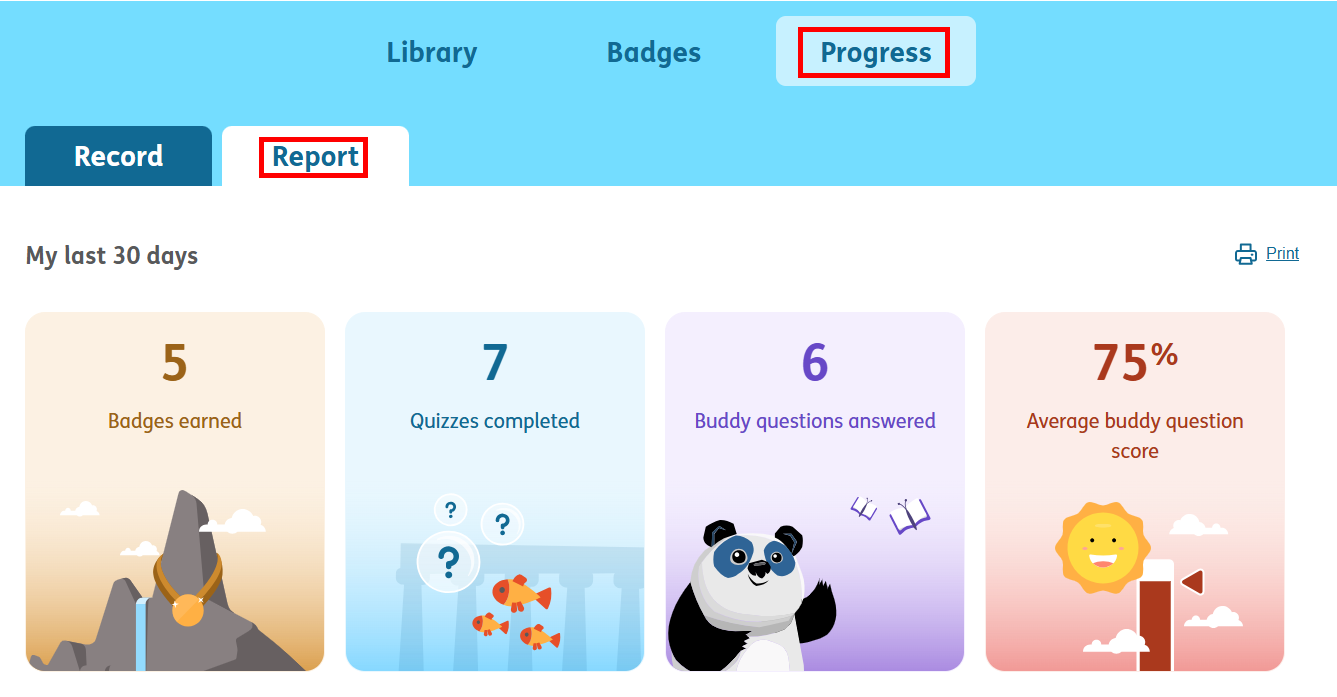
You can view your progress over the last 30 days in the progress report. To view this:
- Go to the ‘Progress’ tab.
- Click ‘Report’.
- Print this, by clicking the ‘Print’ button.
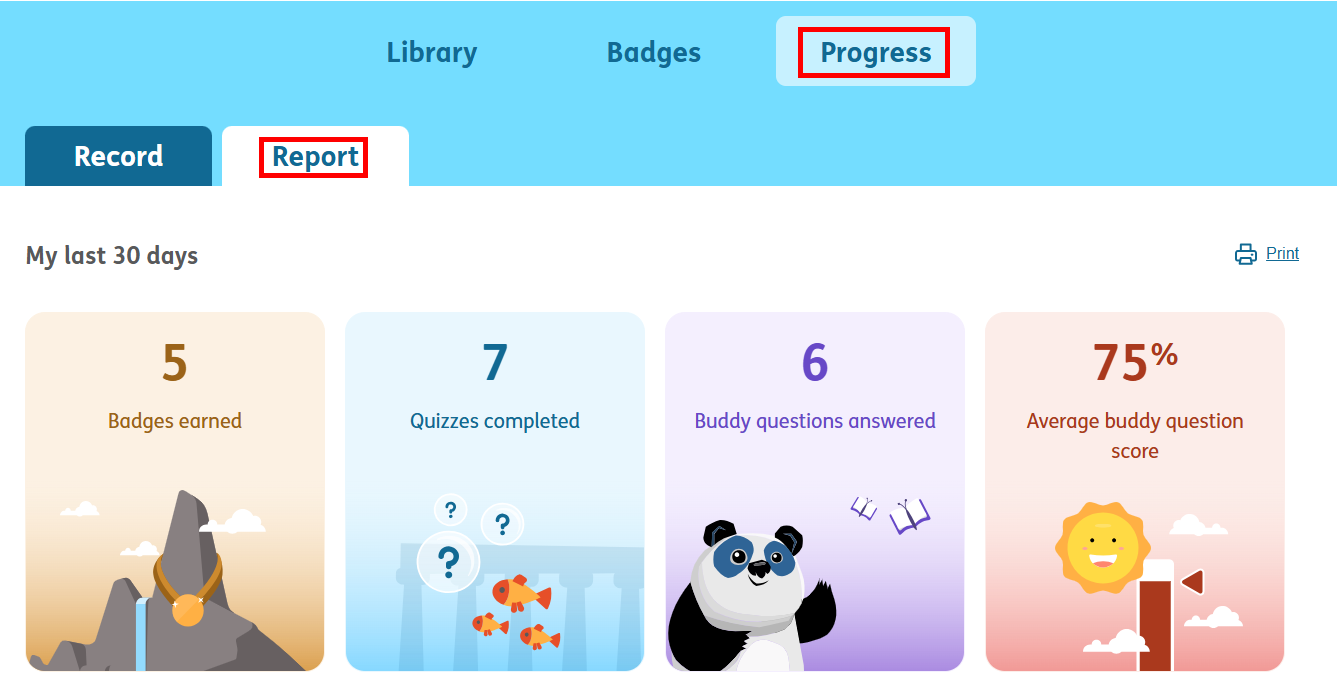
You can also print this, by clicking the ‘Print’ button.
{:}{:za}You can view your progress over the last 30 days in the progress report. To view this:
- Go to the ‘Progress’ tab.
- Click ‘Report’.
- Print this, by clicking the ‘Print’ button.

You can view your progress over the last 30 days in the progress report. To view this:
- Go to the ‘Progress’ tab.
- Click ‘Report’.
- Print this, by clicking the ‘Print’ button.
